Connecting Vision Across the Creative Pipeline
Moving From Idea to Screen: How StoryArc Keeps Creative Intent
What does it mean for technology to empower creators to bring stories to life? That’s the overarching question which Autodesk’s Media and Entertainment Research tries to answer.
Imagine you’re working on an animated short. You might start with the story, or maybe with creating the characters. Or maybe you create some visuals and scenes first, and that continues to drive you forward. The ideas come together and help you shape the final experience. This is a complex process with many moving parts.
Before your story moves into production, there are many decisions that need to be made. For example, the script might have a character hide behind a tree before stepping into view. The beat works because the audience can see the threat before the character does. Later, while designing the 3D location, you remove the tree. The composition looks cleaner now. The space looks better. But the scene no longer works. What seemed like a simple edit to a single asset has now become a narrative conflict. The virtual world no longer supports the written action, and your tools did not tell you about it.
Creative work is messy
Creative work rarely moves in a straight line: it’s an emergent process of exploration and experimentation. A change in the story affects the script. The script affects the location, and the location affects the blocking. Blocking changes the storyboard and the storyboard affects camera choices. The camera changes previs. And at any point, one of those decisions can send the creator back to the story.
As the project takes shapes across text, floorplans, storyboards, 3D scenes, and previs clips, those representations can easily drift apart. They behave differently, yet they all describe the same creative intent. Decisions also loop back on one another, and a change in one domain can have consequences across many others.
This is why we are focusing on pre-production. During pre-production the story, characters, locations, plot, camera, and visual language are still in motion, so creators can explore options and understand the effects of their decisions before production begins.
Generative AI can help creators produce more options, faster and move quickly between story, script, image, storyboards, 3D scenes, and video. But speed alone is not enough. The problem is that many generative AI tools are still built around a one-way interaction: prompt in, output out. That model does not reflect how creative work develops over time. Creative work depends on some decisions staying flexible while others must remain stable. A character design may begin as an experiment, but once it starts carrying story meaning it needs to persist throughout the workflow. These decisions become non-negotiables. The risk with current tools is that options become disconnected from the decisions that led to them.
Pre-production is also scattered among many tools, which makes it easy for those decisions to get lost. With our research prototype StoryArc we are studying how changes can move across these different representations without breaking the chain of intent or reducing the process to a generic prompt-response loop.
Exploring a different kind of workflow
StoryArc, short for Story Architect, is an Autodesk Research prototype from the Media and Entertainment Research team for studying non-linear, AI-assisted idea-to-screen workflows. It connects story planning, script authoring, scene construction, storyboard, scene playthrough, and previs in one place.
StoryArc is not an attempt to automate writing, directing, production design, or previs. These are creative acts. The prototype instead explores how AI can support iteration while keeping creators in control of the decisions that matter and their intent at the forefront.
The prototype brings together several research threads around story planning, script authoring, scene construction, storyboarding, and previs into a unified prototype. We are using StoryArc to study where creators want AI assistance, where they need direct manipulation, and where the system should warn them that a change has consequences elsewhere. At the heart of the research is coherence across representations. How do we keep story, script, locations, characters, storyboard, camera choices, and other creative decisions connected as the creator works?
Following the story
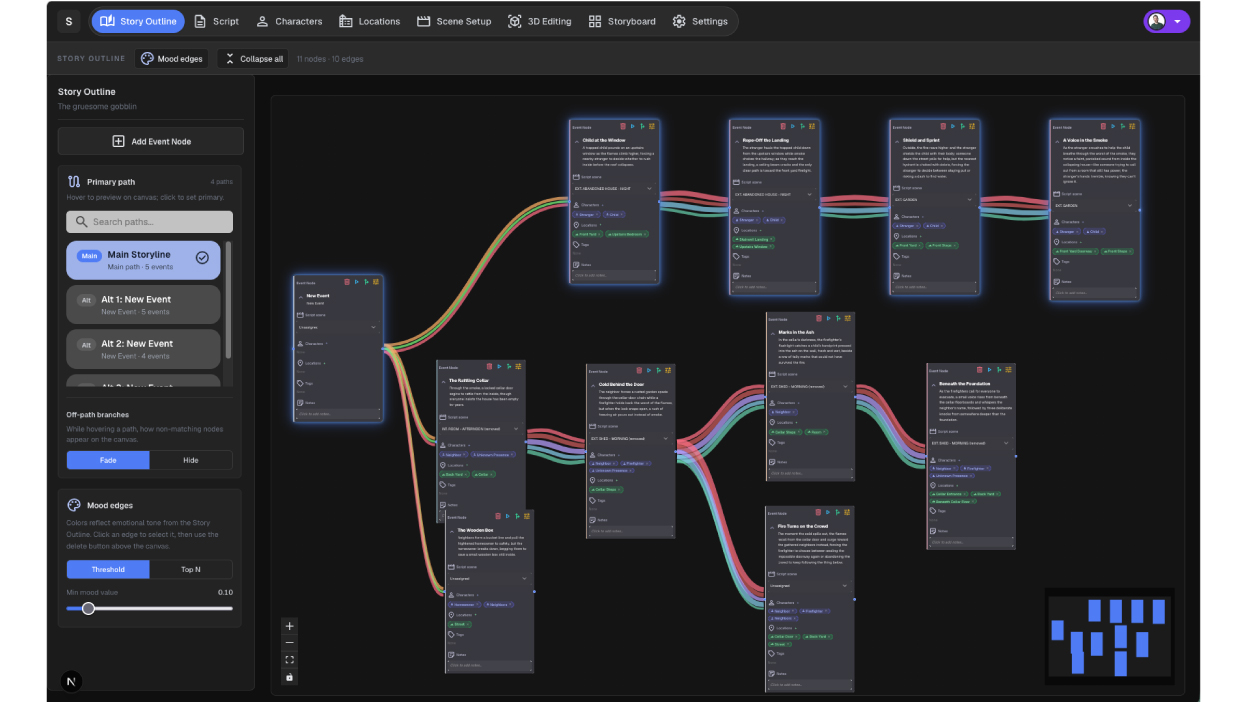
StoryArc makes story structure explicit as one of the several connected creative representations. Narrative beats can be tracked, branched, analyzed, and linked to related script and scene decisions, helping creators explore and evolve story direction over time. Creators can block out narrative points, explore possible branches, set moods, and use analytics and visualizations to understand whether narrative goals are being met. A node-based interface can be used for narrative story planning, where creators can explore what could happen in their story.
Writing the script
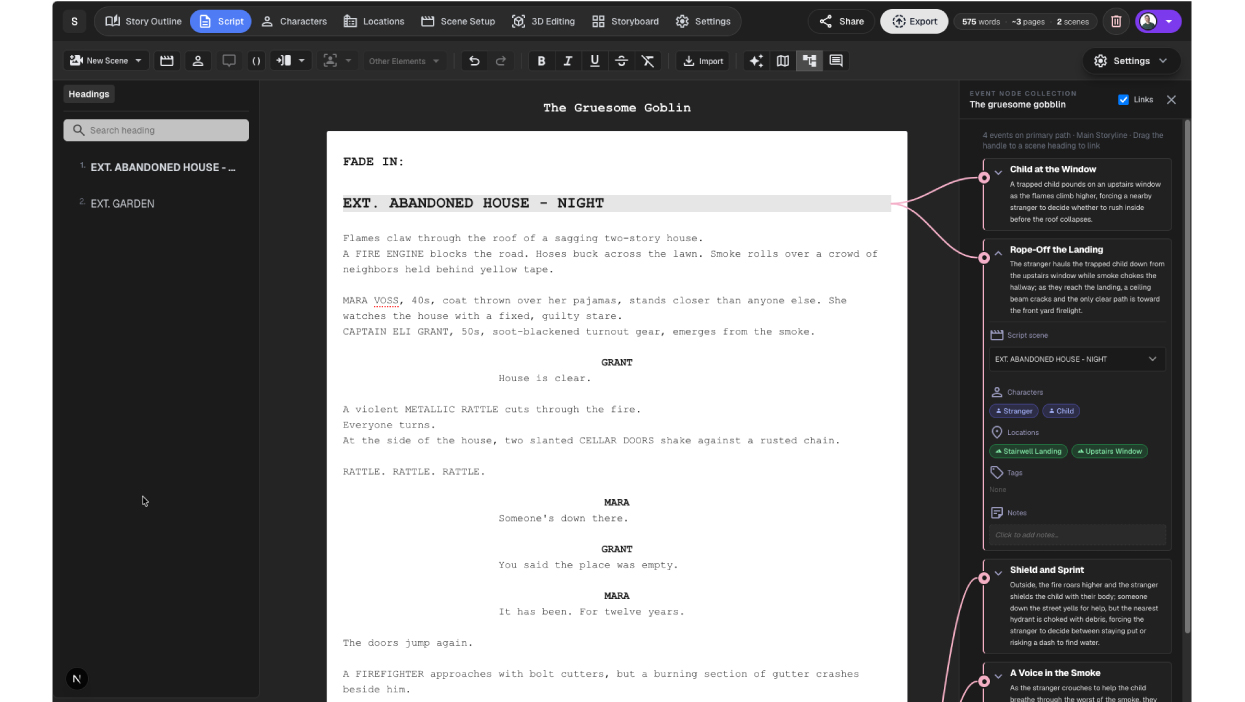
StoryArc includes a collaborative screenplay editor, real-time co-authoring, integrated comments, and AI support for extending, rewriting, shortening, suggesting, and reviewing text. Creators can write manually or co-develop the story and script with AI, with the system using the previously defined story direction as context. Because the system understands the evolving story direction, changes can flow between the outline and the written script as they develop together. The script remains editable at every stage and serves as the foundation for the rest of the workflow, driving characters, locations, storyboards, scene setup, and 3D simulation.
Building the world
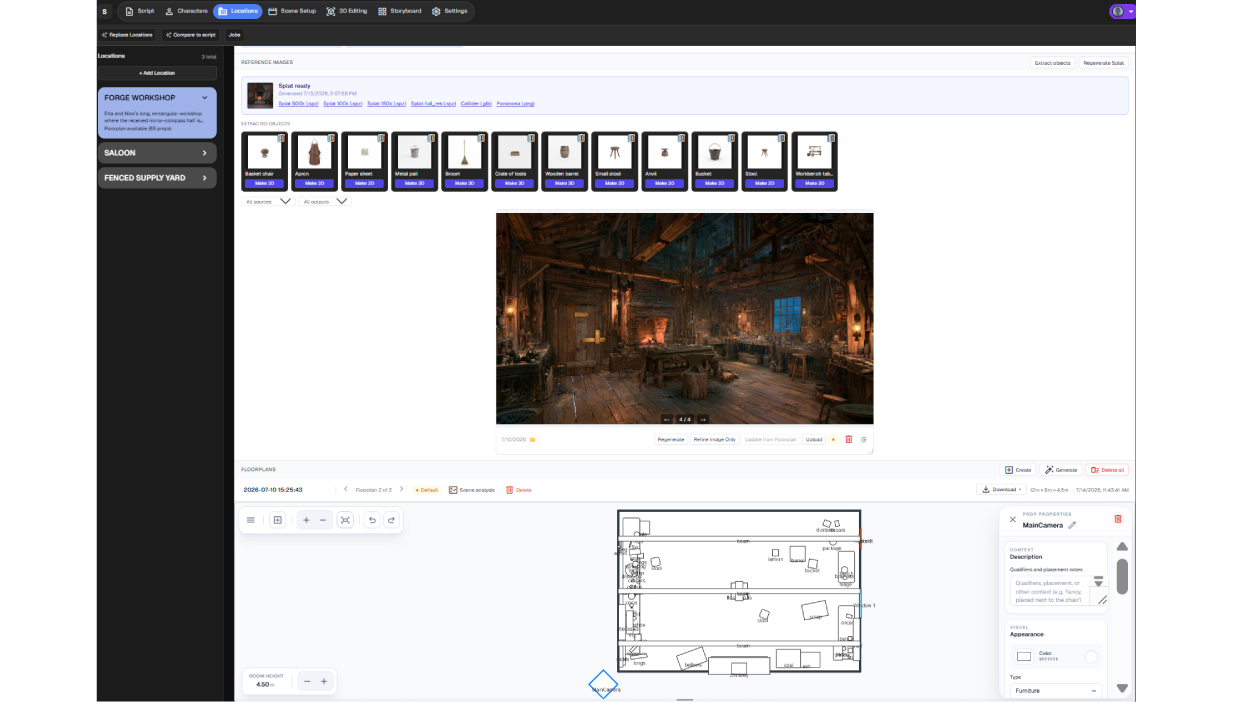
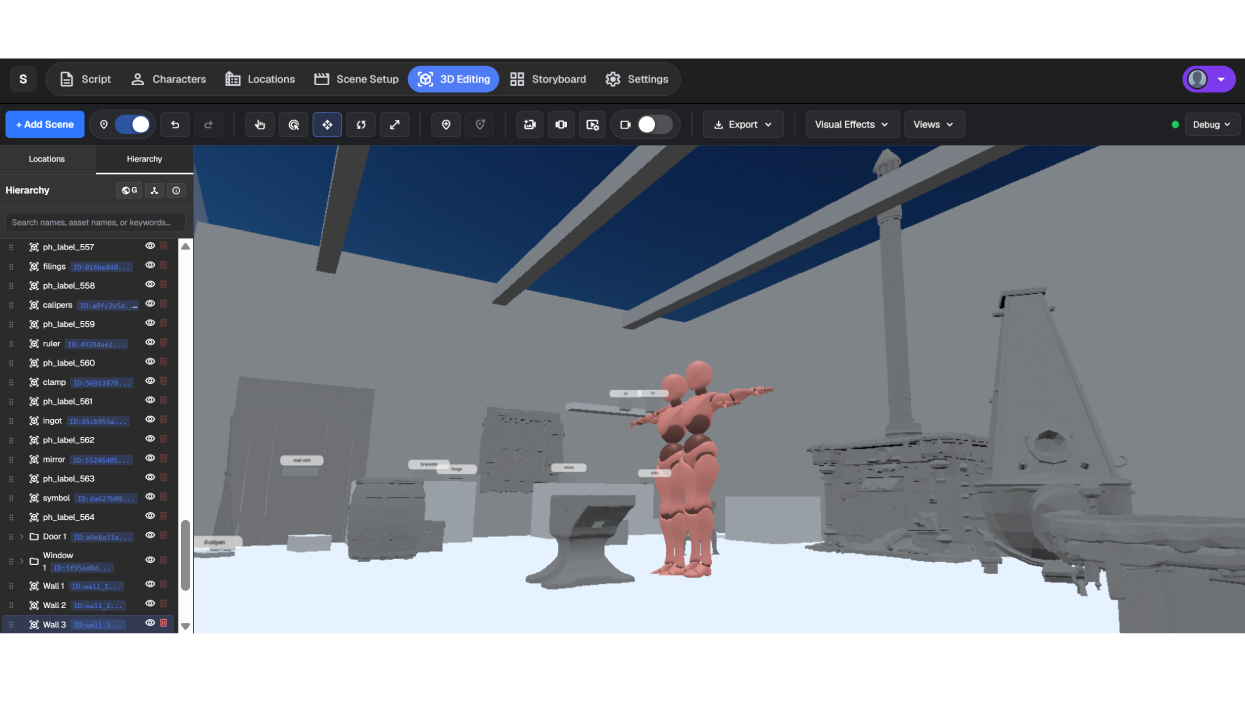
World-building tools extract key details from the script, including locations and characters, and translate them into visual and spatial environments. Creators can upload or use generative AI to produce reference images, editable 2D floorplans, 3D layouts, and photorealistic 3D environments (Gaussian splats) tailored to each scene. Generative AI helps create fully editable 3D locations tailored to each scene, be so that each creation is different from any other, while fulfilling what’s needed for the scene to be played out. These assets provide the foundation for scene setup, character blocking, storyboards, and simulation.
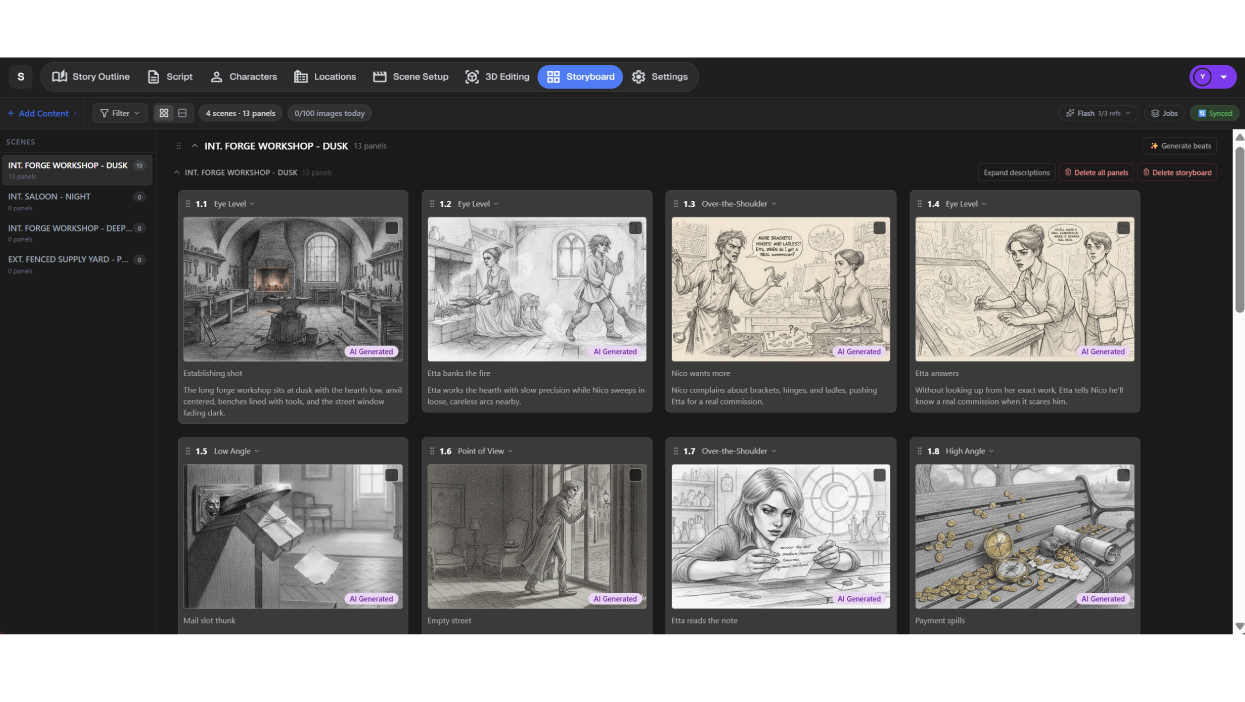 Seeing the story
The Storyboard workspace transforms scripts, playthrough frames, sketches, or text prompts into visual shot sequences. Creators can use AI-generated beat breakdowns or build panels manually, then generate, sketch, edit, restyle, time, and organize multiple storyboard versions per scene while keeping them linked to the underlying script.
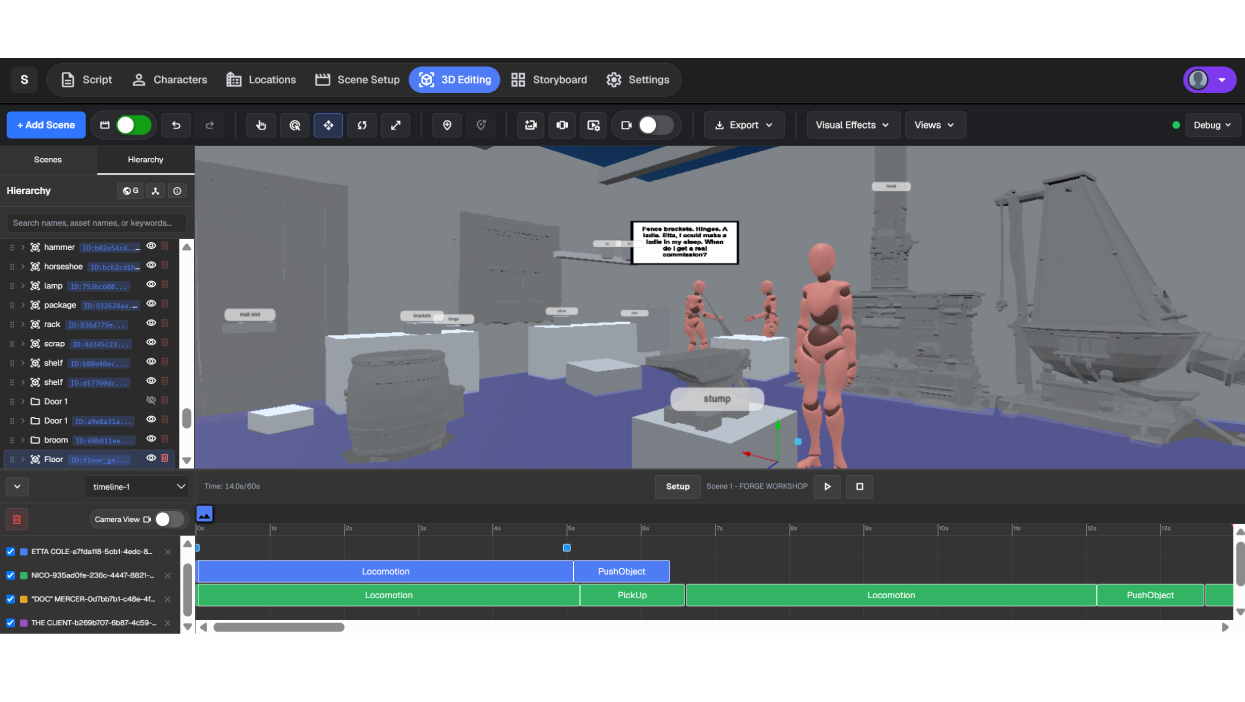
Testing the story
StoryArc brings scripts to life by simulating virtual characters performing Scene Actions within the interactive 3D environments. The character’s actions are guided by the script, and creators can refine layouts, blocking, timing, cameras, and playback, then export simulations as videos for review or demonstration.
The workflow does not enforce a single starting point. Creators can begin with a story idea, build world locations first, refine the storyboard, or go directly into script authoring. The phases are connected and a change in one can be reflected in the others. If a tree disappears from a location, but the script still requires a character to hide behind it, the system can surface that discrepancy and help with the resolution.
What’s next?
Anyone can use AI to generate another image, floorplan, or video. The hard part is keeping those representations connected while preserving and respecting the creative decisions that matter throughout the process.
The question behind StoryArc is bigger than the prototype: what does creative control look like when generative AI becomes part of pre-production? We are using StoryArc to study that question with creators, researchers, educators, and production teams. StoryArc is not about automating pre-production and we do not want to automate the creative out of the process. It is about helping creators stay in control and carry their intent across the process.
StoryArc will be demonstrated at the Autodesk booth (#629) on the SIGGRAPH 2026 Exhibition Floor. See the SIGGRAPH floor map for booth details. You can also sign up here for potential field testing.
Get in touch
Have we piqued your interest? Get in touch if you’d like to learn more about Autodesk Research, our projects, people, and potential collaboration opportunities
Contact us